
You've built the product, set a monthly price, and your first customers are coming from three countries. Then checkout stops being simple. Do you register for tax in places you've never operated, or pay a higher transaction fee and let someone else handle it? That is the Polar vs Stripe decision for most SaaS founders. It's not only about who processes the card. It's about who owns the compliance work, how much net revenue you keep, and whether your billing data will still make sense when you try to explain MRR next quarter.
Table of Contents
- Why the Polar vs Stripe Choice Matters for SaaS
- Pricing and Fees Compared
- Payment and Subscription Features Side by Side
- Global Coverage and Compliance Responsibilities
- How Billing Data Shapes Your Revenue Reporting
- Migration Considerations Before You Switch
- Using Chartsy to Analyze Either Provider
- Recommendations and Final Checklist
Why the Polar vs Stripe Choice Matters for SaaS
A solo founder launches a small analytics tool, prices it for individual users and small teams, and shares it in a few online communities. Signups arrive from the United States, Europe, and Australia in the first week. The product works. The billing question is harder. She can set up Stripe quickly and keep more of each payment, or use Polar and pay more per transaction to avoid becoming the person who researches VAT rules at midnight.
That choice matters because the two platforms sit in different legal and operational roles. Polar's comparison with Stripe describes the split clearly. Stripe acts as a payment processor. Your company remains the seller of record and must manage applicable VAT, GST, and sales tax registration, collection, filing, and remittance, either internally or through add-ons. Polar operates as a Merchant of Record, assuming those tax compliance obligations across supported markets and paying your business net proceeds.
What changes in practice
- With Stripe: You control the customer billing relationship directly, and you also own the tax work that comes with selling in each market.
- With Polar: Polar steps into the seller role for supported sales, handles the tax layer included in its model, and sends you the net amount.
- For both: You still need clean subscription records, because a payout total alone won't tell you whether growth came from new customers, upgrades, or fewer cancellations.
The core trade-off isn't card processing. It's lower fees plus more responsibility versus higher fees plus less compliance work on your plate.
For a US-only B2B tool with an accountant already involved, Stripe's model may feel manageable. For a small team selling globally from day one, the Merchant of Record model can remove work you don't have staff to do. Neither answer is automatic. Your customer locations, average plan price, and tolerance for admin work decide which burden costs you more. The sections below break that decision into fees, features, compliance, reporting, and migration risk so you can choose based on your actual sales mix, not a headline rate.
Pricing and Fees Compared
Headline pricing is where most comparisons start, and where many stop too early. Polar's starter or free tier is reported at about 5% plus $0.50 per transaction, while Stripe's standard US online card rate is 2.9% plus $0.30. On a $20 subscription, those headline fees imply about $1.50 through Polar versus $0.88 through Stripe before other adjustments. That gap matters if your average revenue per account is low and you process many small monthly payments.
Stripe doesn't end at the card rate for subscription businesses. Stripe Billing pricing lists its standard Billing fee as 0.7% of Billing volume, including recurring transactions processed on or off Stripe, while one-time invoices are excluded from that Billing charge. International cards and currency conversion can add further charges on top of processing. You need to model those layers against your actual mix of monthly plans, annual plans, setup fees, and international customers.
Effective Fee Comparison at Different Subscription Prices
| Monthly Plan Price | Polar Starter Fee | Stripe Standard Fee |
|---|---|---|
| $10 | $1.00 | $0.59 |
| $20 | $1.50 | $0.88 |
These are simple headline calculations, not your final cost. A $10 plan feels the fixed fee more than a higher priced plan because the per transaction amount doesn't shrink when the subscription price does. That's why low priced, self-serve SaaS products should be especially careful with percentage plus fixed fee math. If you want to run your own price points through different provider combinations, you can compare Polar vs fees with a calculator, then cross-check the result against our own payment fee comparison guide before you commit.
Where the break-even shifts
Polar's paid tiers lower the transaction rate, but they add a monthly fee you need enough volume to justify. The Scale tier at 3.4% plus $0.30 also carries a $400 monthly fee, as covered in the final section below. At low volume, that fixed monthly cost can erase the saving from the lower percentage. At higher volume, it may not.
The honest comparison is net MRR after processing, billing, tax, and payout costs, not gross subscription revenue. If Stripe saves you money on fees but you pay separately for tax calculation, filing support, or finance time, include that. If Polar costs more per transaction but removes work you'd otherwise hire for, include that too. Compare by plan price, country mix, and monthly volume, because a single blended rate hides exactly where you're losing margin.
Payment and Subscription Features Side by Side
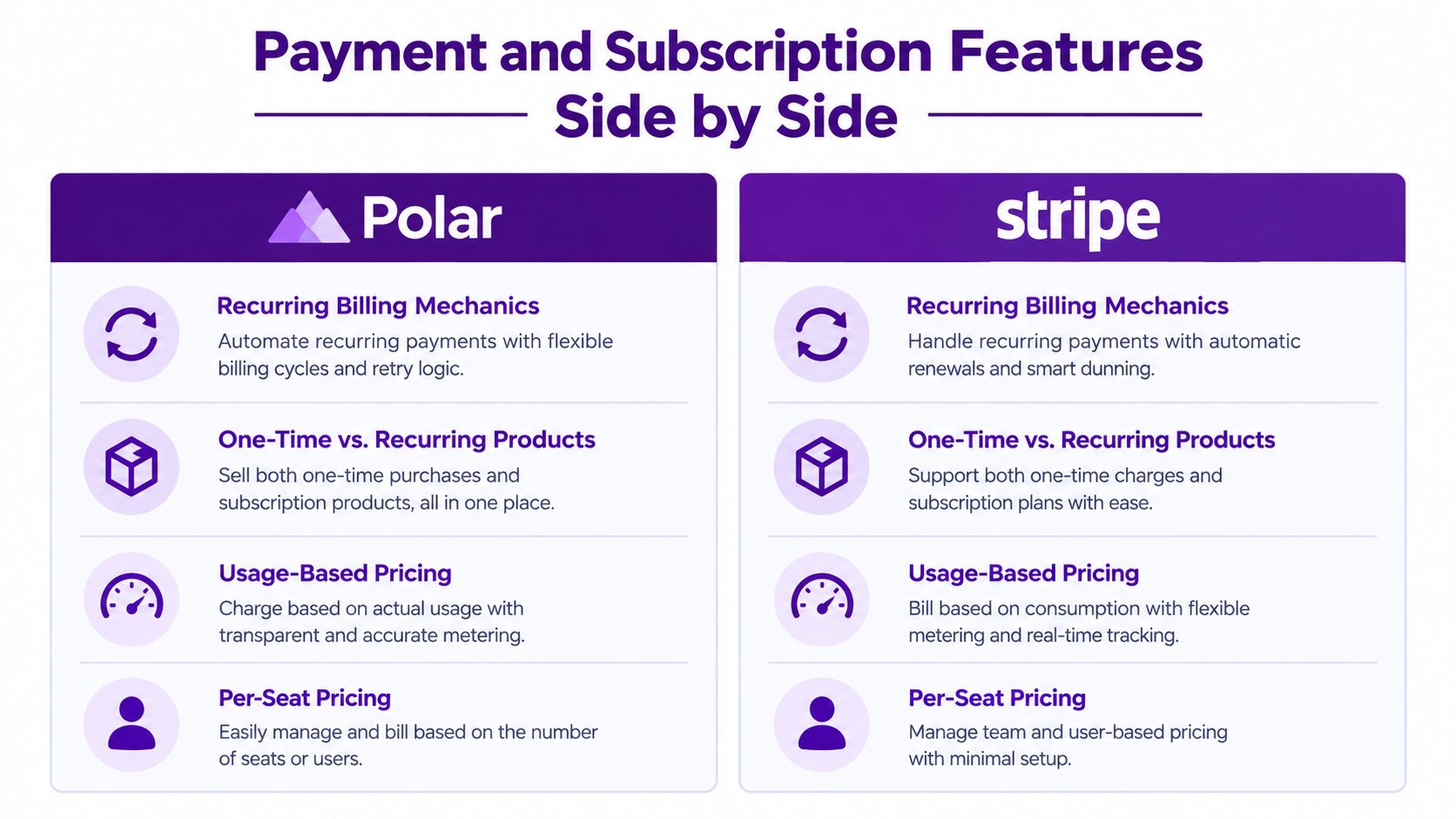
Fees get attention, but billing flexibility decides whether the platform still fits in a year. Stripe exposes a broader payment and billing surface for teams that need direct control over payment methods, invoices, customer records, subscription logic, usage-based billing, and entitlements. Polar emphasizes a shorter path from product checkout to globally compliant software sales, with tax handling included in its platform model. Makerkit's Polar vs Stripe analysis notes Polar is suitable for software monetization but has limitations in advanced subscription entitlements and nuanced metering workflows compared with Stripe's direct APIs.
The visual below summarizes how the two platforms compare across common subscription needs.
Recurring pricing mechanics
Stripe's pricing models documentation describes flat-rate plans, per-seat pricing, tiered pricing, and usage-based pricing. In Stripe's model, products describe what is sold and prices define the amount, currency, and service period. Usage-based models can include a fixed fee with overage, pay-as-you-go charges, or credit burndown. That range suits SaaS products that start flat rate and later add seats, tiers, or metered usage without rebuilding billing.
Polar supports one-time and recurring products, with recurring intervals such as monthly or yearly and interval counts for schedules such as every two or three months. That covers many straightforward SaaS plans well. The question is whether your future pricing needs unusual metering, complex entitlements, or custom invoice logic. If it does, test those cases before you build checkout around either API.
Developer control versus packaged flow
- Stripe gives you more levers: You can shape subscription logic, invoices, and failure handling, but your team implements, configures taxes, and reconciles the result.
- Polar gives you a shorter path: You get a developer focused Merchant of Record workflow, but you accept its packaged approach where advanced billing cases are less flexible.
If you're also weighing how subscription tooling differs for commerce storefronts rather than SaaS, RecurX lets you compare subscription platforms for Shopify, though that retail context shouldn't drive a SaaS billing decision. For SaaS, write down your must-have cases first. Include upgrades, downgrades, cancellations, annual prepay, trials if you use them, and any metered component. Then check whether each platform represents those cases as clear events your reporting can use later.
Global Coverage and Compliance Responsibilities
Selling software internationally is easy at checkout and complicated after it. A customer in another country can pay in minutes. The tax obligation created by that sale doesn't disappear because your team is small. With Stripe as processor, your business remains responsible for deciding where it must register, what to collect, and how to file and remit. Add-ons can help with calculation, but the underlying responsibility still sits with you as seller of record.
Polar's Merchant of Record model moves that layer into the platform for supported markets. Polar assumes the tax compliance obligations and pays you net proceeds. You're trading margin for reduced operational and compliance burden. Whether that's worthwhile depends on how many markets you sell into and whether you already have finance support.
The diagram below shows how responsibility splits between a Merchant of Record and a payment processor.

A useful benchmark from another Merchant of Record
Paddle's pricing page lists its public pay-as-you-go pricing at 5% plus 50 cents per Checkout transaction, with no monthly, migration, or additional payment management fees in the standard offer. Paddle also describes itself as a Merchant of Record, taking responsibility for payment processing, global tax compliance, fraud protection, and financial reconciliation. That comparison helps frame Polar's rate. Merchant of Record pricing commonly packages operational responsibilities into a single transaction fee, while Stripe separates processing, billing, and tax responsibilities into configurable services.
International sales also change the fee picture through card and currency costs. A domestic rate comparison can look decisive, then narrow or widen once you add international cards, currency conversion, and the internal cost of handling tax, fraud, chargebacks, buyer support, and reconciliation. Don't model global SaaS revenue using only a US card rate.
Practical rule: If you can't name who files tax in each market you sell into, you don't have a global billing plan yet, regardless of which checkout you use.
How Billing Data Shapes Your Revenue Reporting
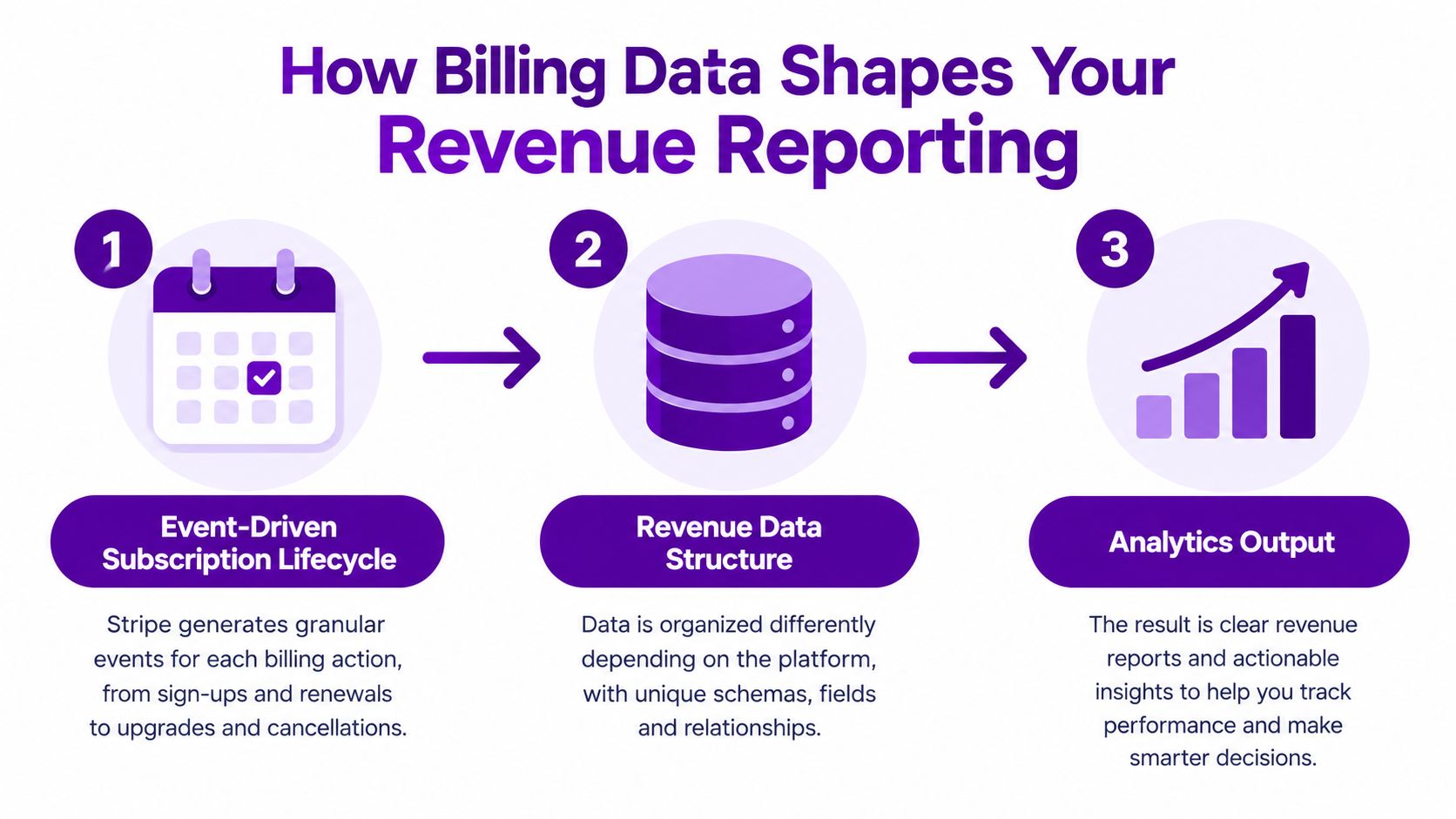
Your payment platform doesn't just collect money. It creates the records you'll later use to calculate MRR, churn, expansion, and net revenue by source. If those records don't distinguish a renewal from a new sale, or a downgrade from a cancellation, your dashboard can reconcile cash while still telling the wrong story about growth.
The flow below shows how billing events become revenue reporting.
Why events matter more than totals
Stripe's subscription overview explains that Stripe generates invoices, attempts payment collection, and updates subscription status through a defined lifecycle. For automatically charged subscriptions, a successful payment changes the subscription to active and the invoice to paid, and Stripe recommends listening for events such as invoice.paid and using webhook events to monitor subscription state changes. That event model lets you separate new subscriptions, renewals, upgrades, downgrades, failed payments, cancellations, and completed churn.
Polar data can require different mapping because Merchant of Record orders, refunds, payouts, and product subscriptions need to be translated into recurring versus one-time revenue. Our notes on Polar data models in Chartsy cover why stable customer identifiers and event definitions matter before you import history. A refund, for example, shouldn't automatically look like churn. A one-time setup fee shouldn't inflate MRR.
The video below walks through how subscription events connect to practical revenue questions.
Before you rely on either provider for reporting, validate a short list.
- Webhook coverage: Confirm you receive creation, renewal, upgrade, downgrade, cancellation, refund, and failed payment events.
- Customer identifiers: Make sure the same customer can be matched across checkout, billing, and your product database.
- Currency treatment: Decide how you'll report multi-currency revenue without double counting conversion differences.
- Recurring versus one-time: Keep subscription invoices in recurring analysis and report one-time charges separately.
That groundwork is what lets you break an MRR change into new revenue, expansion, contraction, and churn instead of guessing from a bank payout.
Migration Considerations Before You Switch
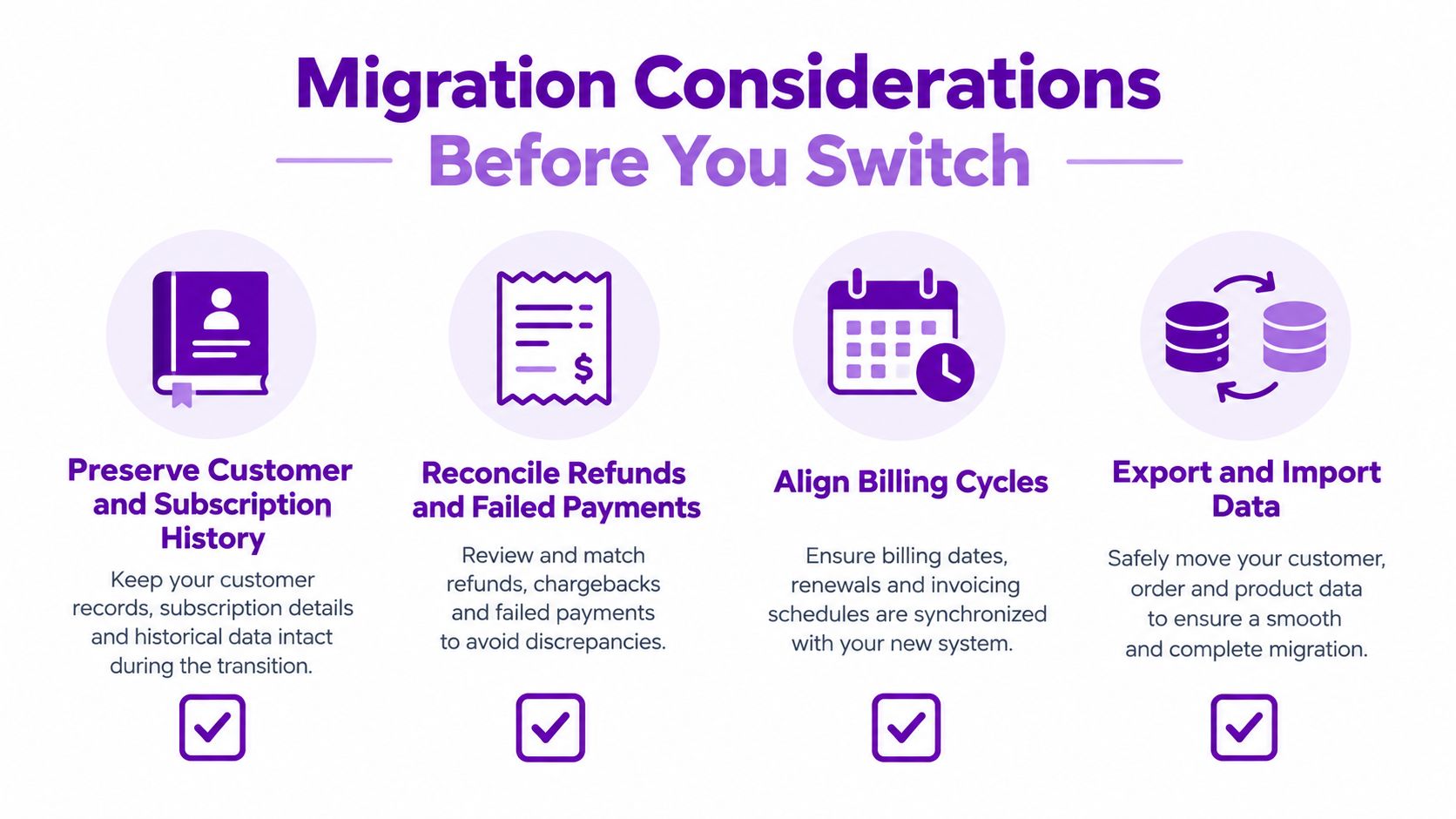
Switching processors looks like a checkout project. Operationally, it's a data continuity project. You need to preserve customer and subscription history, reconcile refunds and failed renewals, and keep marketing source attribution consistent when the checkout and billing system changes. If you don't, an apparent MRR jump or drop may be a mapping artifact rather than a real business change.
The checklist below highlights the areas to validate before cutover.
Run both systems in parallel first
Polar's product documentation supports one-time and recurring products, but product support alone doesn't solve history. Run a parallel period where you compare customers, plans, renewals, refunds, and churn across both systems. Document stable identifiers and event definitions before importing historical data. Decide in advance what counts as an upgrade, what counts as contraction, and when a cancelled subscription becomes churned revenue.
Pay special attention to these failure points.
- Duplicate customers: The same buyer appears under a new identifier and looks like new MRR.
- Missing downgrades: A plan change arrives as a cancellation plus a new subscription, distorting churn.
- Refund timing: Cash reconciles, but the refund lands in a different reporting period than the original sale.
- Source attribution gaps: New checkout URLs break the link between signup source and paying customer.
Our guide to tracking subscription revenue from multiple payment providers covers the parallel reporting approach in more detail. Don't cut over on the same day you change pricing or launch a campaign. You'll have three possible explanations for every revenue movement and no clean way to separate them. Keep the old reporting definition frozen, map the new provider to it, and only retire the old view after at least one full billing cycle matches.
Using Chartsy to Analyze Either Provider
Whichever platform you choose, you still need answers the billing dashboard wasn't built to give. Which marketing sources bring paying customers, not just signups? Did MRR fall because customers cancelled, downgraded, or because a one-time payment last month didn't repeat? Those questions require billing data connected to website traffic and signup sources.
Chartsy is a SaaS analytics and revenue attribution platform for that job. It has native analytics for Stripe, Paddle Billing, and Paddle Classic, and its Custom API lets you bring in billing data from other providers or your own system. That distinction matters here. Stripe connects natively. Polar data may require the Custom API, which means sending data through an API workflow rather than expecting an automatic connector.
The screenshot below shows the kind of revenue view you can build once billing and acquisition data sit together.
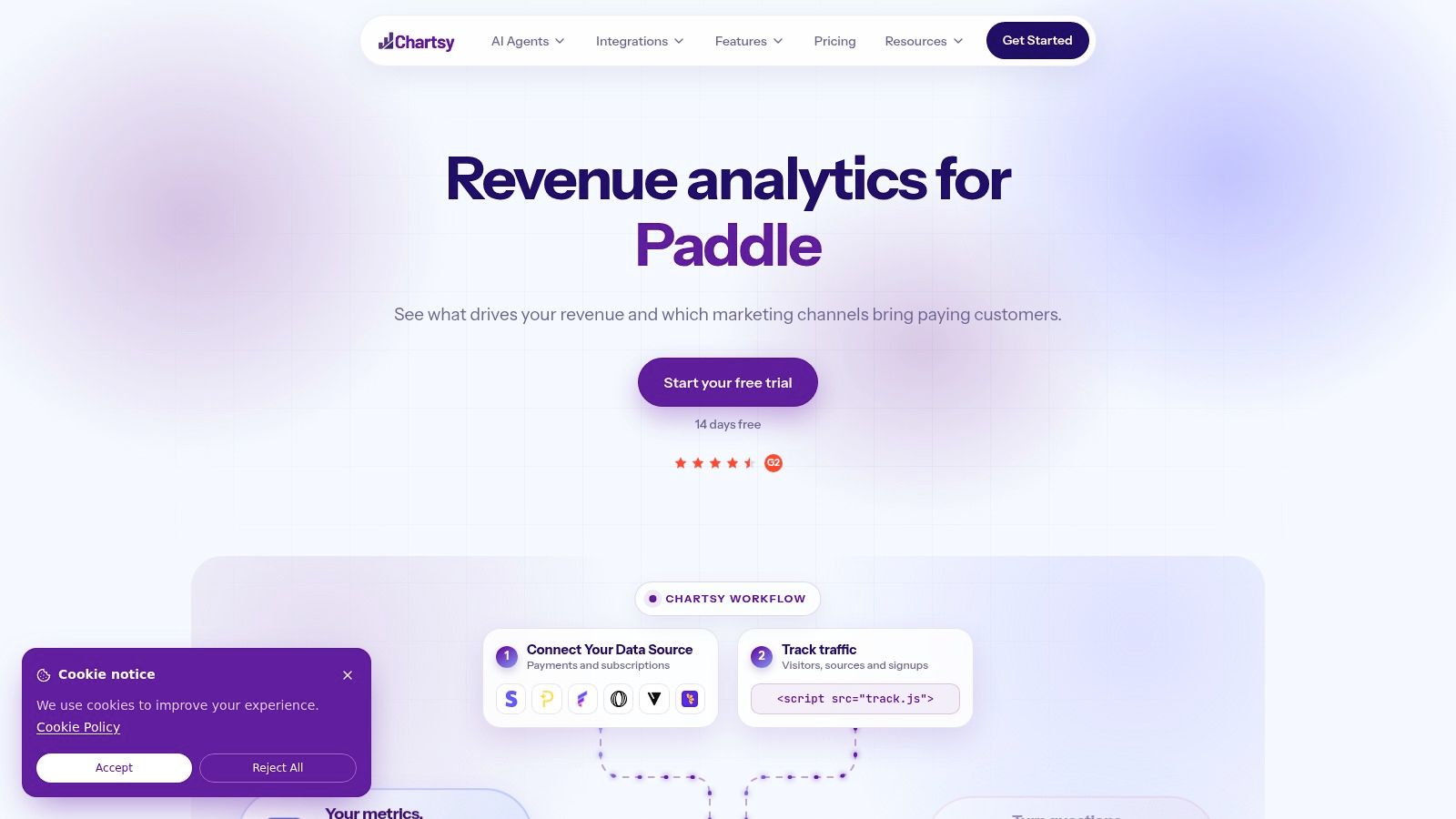
With that connection in place, you can break MRR changes into new revenue, upgrades, downgrades, and churn, then segment by plan, customer, country, and acquisition source. You can ask plain English questions and save the answers as charts on a dashboard, without writing SQL or hiring a dedicated analyst. That doesn't prove why a customer cancelled, and attribution isn't proof of causation. It shows you where the change happened and which source or plan to investigate first.
Chartsy fits best when you're a founder or small team that needs recurring revenue reporting tied to marketing performance, and you're tired of maintaining spreadsheets that break every time billing changes. If you only need payout reconciliation, your payment provider may be enough. If you need to know which channels produce customers who stay and expand, you need the billing and acquisition data joined.
Recommendations and Final Checklist
Choose Stripe if lower transaction cost is your priority, you're willing to own tax compliance or pay for help, and you need granular control over billing logic, per-seat pricing, tiers, or usage-based charges. It's also the safer default if your subscription model is likely to get more complex and you want direct APIs for invoices, customer records, and entitlements.
Choose Polar if you sell globally with a small team, don't want to manage VAT, GST, and sales tax obligations yourself, and your billing model fits its packaged Merchant of Record workflow. The higher fee buys you less compliance work. That trade can be worth it early, especially when founder time is your scarcest resource.
Model the break-even with your own numbers
Foundlie's Stripe vs Polar comparison shows why fixed fees penalize low priced subscriptions. On a $10 monthly plan, a 5% plus $0.50 charge consumes 10% of gross payment value before other costs, whereas Stripe's 2.9% plus $0.30 consumes 5.9% before optional billing, tax, or currency fees. Polar's published tiers range from that starter rate to 3.4% plus $0.30 on Scale, which also carries a $400 monthly fee. Model total cost by average order value, monthly payment volume, international card share, subscription volume, and tax compliance workload. There isn't one universal winner.
Before you decide, work through this checklist.
- Plan price: What share of a typical monthly payment goes to fixed fees?
- Geography: Where do paying customers live, not just website visitors?
- Tax ownership: Who registers, collects, files, and remits in each market?
- Billing complexity: Do you need seats, tiers, metering, or unusual entitlements?
- Reporting continuity: Can you preserve customer IDs, subscription history, and source attribution?
- Volume threshold: Does a paid tier lower your rate enough to cover its monthly fee?
If you go with Stripe and keep tax responsibility in-house, TaxID's VAT compliance checklist for developers is a practical starting point for listing what you'll need to handle. Run the numbers on your real plan mix, pick the model you can operate without surprises, and protect your revenue definitions before you move a single customer.
Connect your Stripe account natively, or send Polar billing data through the Custom API, and use Chartsy to see net recurring revenue by plan, country, and marketing source in one dashboard. Ask in plain English which channels bring paying customers and what drove your last MRR change, then save those charts so you can check the same definitions every month.

Written by
Chartsy TeamAnalytics team at Chartsy
The Chartsy Team writes guides, product updates, and resources to help SaaS and eCommerce founders make sense of their metrics, without SQL or spreadsheets.
Chartsy
